Working with MDTO metadata
05 Jun 2026Working with MDTO metadata in Preservica
MDTO stands for Metagegevens Duurzaam Toegankelijke Overheidsinformatie — roughly translated as “Metadata for Durably Accessible Government Information”. It is a metadata standard published by the Nationaal Archief (National Archives of the Netherlands).
It defines which metadata fields Dutch government organisations must record alongside their information objects (documents, records, files) to ensure those objects remain findable, usable, and trustworthy over the long term — including after transfer to an archive.
Key concepts it covers
- Identification — how an object is uniquely referenced across systems
- Appraisal & retention — whether a record must be kept permanently or can be destroyed, and when
- Use restrictions — access limitations based on privacy, confidentiality, or other legal grounds
- Provenance — which organisation created or received the record (the archiefvormer)
- Aggregation — how records relate hierarchically (series → dossier → document)
- Representation — linking a logical information object to its physical file(s)
- Events — an audit trail of things that happened to the record (creation, migration, destruction)
MDTO is the successor to TMLO (Toepassingsprofiel Metagegevens Lokale Overheden) and is designed to align with broader standards like DUTO (Duurzaam Toegankelijke Overheidsinformatie, the Dutch government’s overarching requirements framework) and international standards such as Dublin Core, ISAD(G), and PREMIS.
When ingesting Dutch government records into Preservica, MDTO metadata would typically be carried as a descriptive or custom metadata fragment attached to an asset or folder, allowing the archive to honour Dutch legal retention and access obligations while benefiting from Preservica’s preservation infrastructure.
ToPX was an early XML-based metadata profile developed for Dutch provinces and municipalities, focused on transferring records to archives in a structured way. TMLO (Toepassingsprofiel Metagegevens Lokale Overheden) broadened ToPX into a more general profile for local government, still XML-based. MDTO is the current standard, replacing both, and extending scope to all Dutch government organisations rather than just local authorities.
Many Dutch organisations that have been using Preservica for some years will have ingested content with ToPX metadata. Migrating to MDTO requires mapping the old ToPX fields to their MDTO equivalents — most concepts carry over, but the XML structure and element names differ.
Viewing MDTO metadata
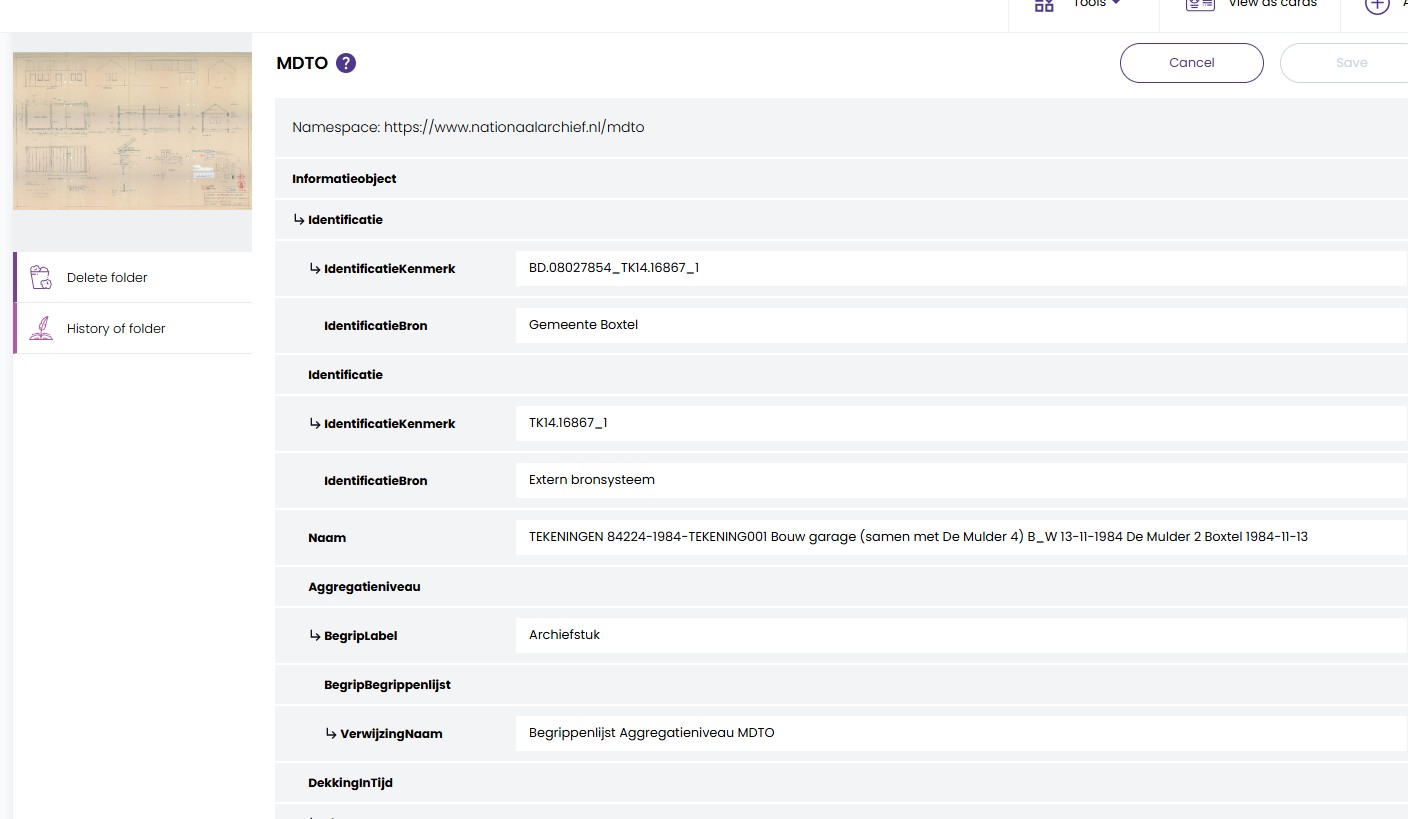
Adding a MDTO XML document to assets in Preservica will allow users to both view and edit the metadata from the user interface. Preservica will automatically create a default viewer/editor based on the XML provided.
The default viewer takes the metadata attached to the Asset and displays the fields which are part of the XML.
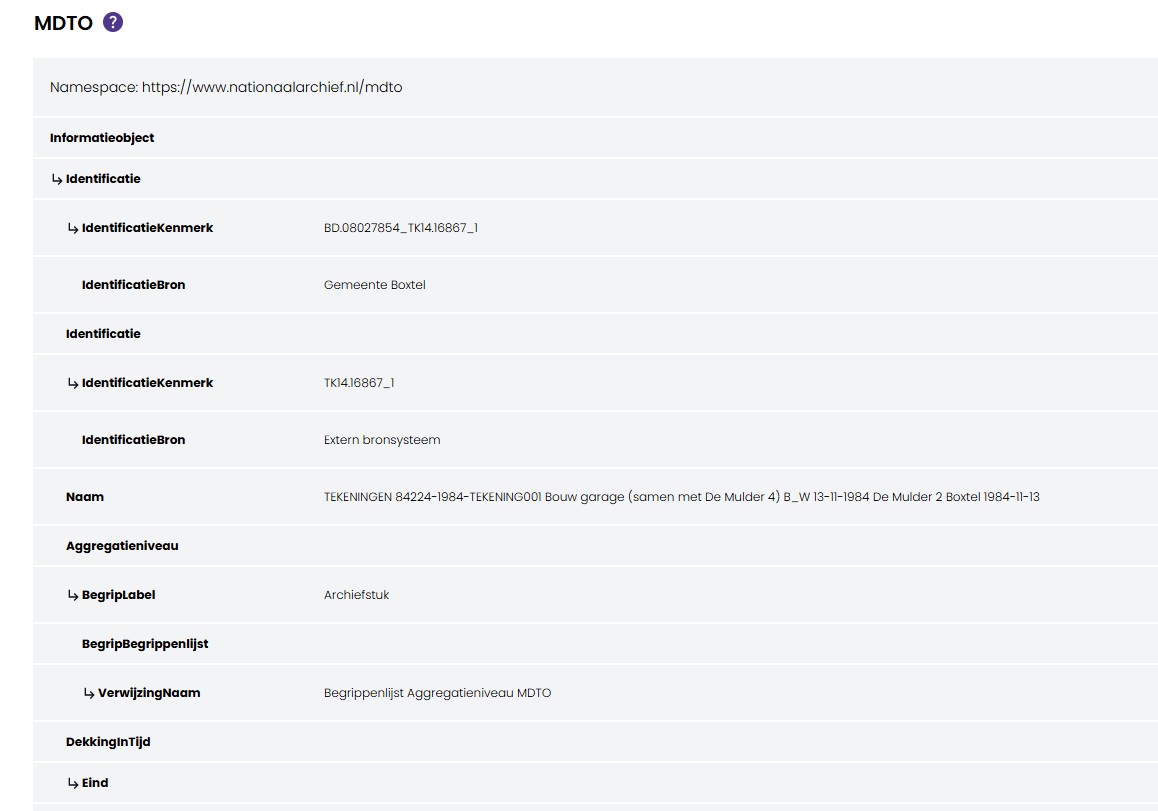
Users only see MDTO fields which exist in that metadata document. This means that they can only edit fields which exist, they cannot add new fields.
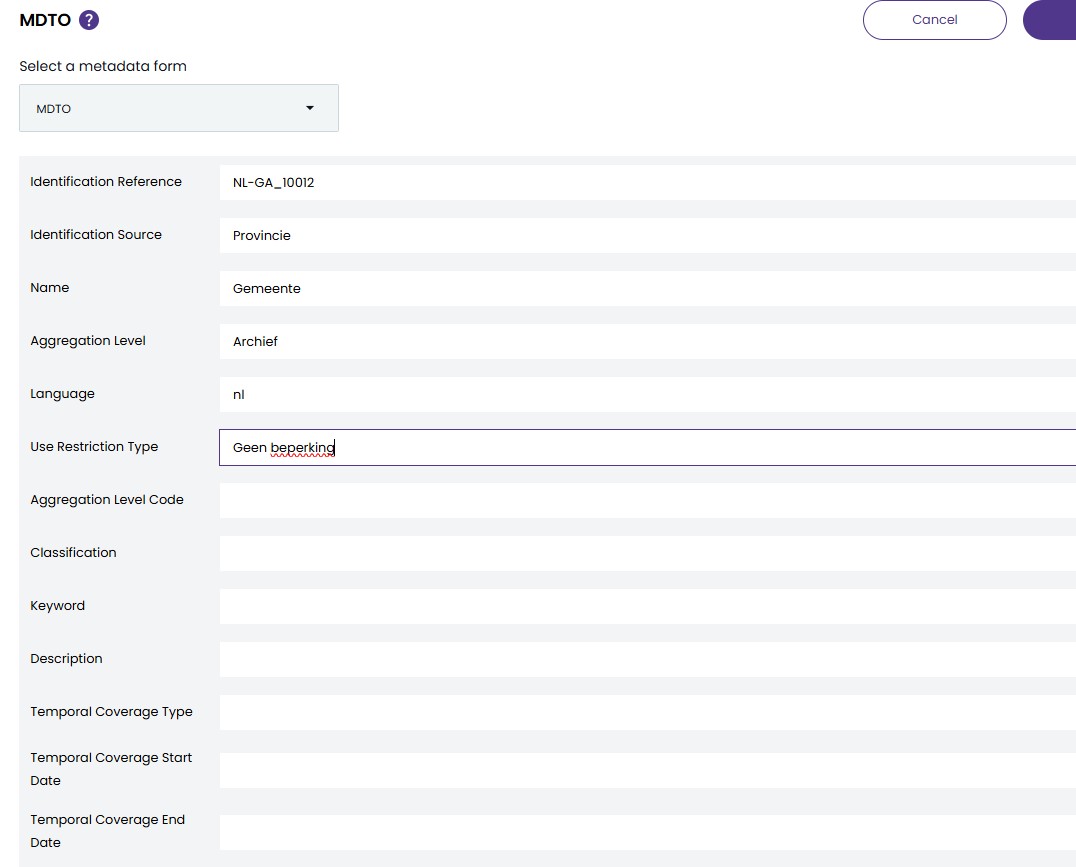
To have a more customised experience with the metadata and allow adding new fields, a Metadata Form can be added to Preservica.
Custom MDTO metadata Form
Before we create the custom form, download the MDTO schema definition and add it to Preservica as an XML schema
The MDTO schema can be uploaded via the API
from pyPreservica import *

client = AdminAPI()

with open("MDTO-XML1.0.1.xsd", mode="r", encoding="utf-8") as fd:
    client.add_xml_schema(name="MDTO", description="(MDTO) v1.0.1", originalName="MDTO-XML1.0.1.xsd", xml_data=fd)
The next step is to create a JSON document to represent the form. This should contain a list of fields for each MDTO element the user would like to view or edit. Each field has a label which describes the element, mine are in English, but they could be in Dutch if needed. An XPath expression provides a unique way to describe the element within the XML.
You can choose if the element should be visible and editable. For example some fields you may want to prevent changes to.
An example, with a few MDTO elements is shown below.
{
  "title": "MDTO",
  "description": "(MDTO) v1.0.1",
  "schemaUri": "https://www.nationaalarchief.nl/mdto",
  "default": "True",
  "fields": [
      {
        "label": "Identification Reference",
        "path": "//ns:MDTO/ns:informatieobject/ns:identificatie/ns:identificatieKenmerk",
        "type": "String",
        "visible": "True",
        "editable": "True"
      },
      {
        "label": "Identification Source",
        "path": "//ns:MDTO/ns:informatieobject/ns:identificatie/ns:identificatieBron",
        "type": "String",
        "visible": "True",
        "editable": "True"
      },
      {
        "label": "Name",
        "path": "//ns:MDTO/*/ns:naam",
        "type": "String",
        "visible": "True",
        "editable": "True"
      },
      {
        "label": "Is Representation Of",
        "path": "//ns:MDTO/ns:bestand/ns:isRepresentatieVan/ns:verwijzingNaam",
        "type": "String",
        "visible": "True",
        "editable": "True"
      },
      {
        "label": "Is Representation Of  Identifier",
        "path": "//ns:MDTO/ns:bestand/ns:isRepresentatieVan/ns:verwijzingIdentificatie/ns:identificatieKenmerk",
        "type": "String",
        "visible": "True",
        "editable": "True"
      }
  ]
}
You can download a full MDTO JSON file from here
The JSON form can be uploaded via the following script.
from pyPreservica import *

client = MetadataGroupsAPI()

client.add_form(json_form=json.load(open('mdto_metadata_group.json')))
The form will then automatically be used on any Asset with MDTO metadata. This will allow users to add values to new fields.